What Are Software Specifications – Complete Guide to SRS!
Software specifications, or Software Requirements Specifications (SRS), are detailed documents describing a software system’s purpose, functionality, constraints, and performance. They guide development, improve communication, reduce errors, and ensure successful project delivery.
Software development projects require clear communication between stakeholders, developers, testers, and project managers. Without a structured plan, teams may misunderstand requirements, which can lead to delays, higher costs, and poor software quality.
This is where software specifications, also known as Software Requirements Specifications (SRS), play a crucial role in the software development lifecycle.
A software requirements specification is a detailed document that describes the purpose, features, functionality, constraints, and behavior of a software system. It acts as a blueprint for developers and a contract between stakeholders and the development team.
In simple terms, a software specification explains what the software should do and how it should perform before development begins. This guide explains everything you need to know about software specifications, including their components, types, examples, benefits, and how to write an effective SRS document.
What Is a Software Requirements Specification (SRS)?
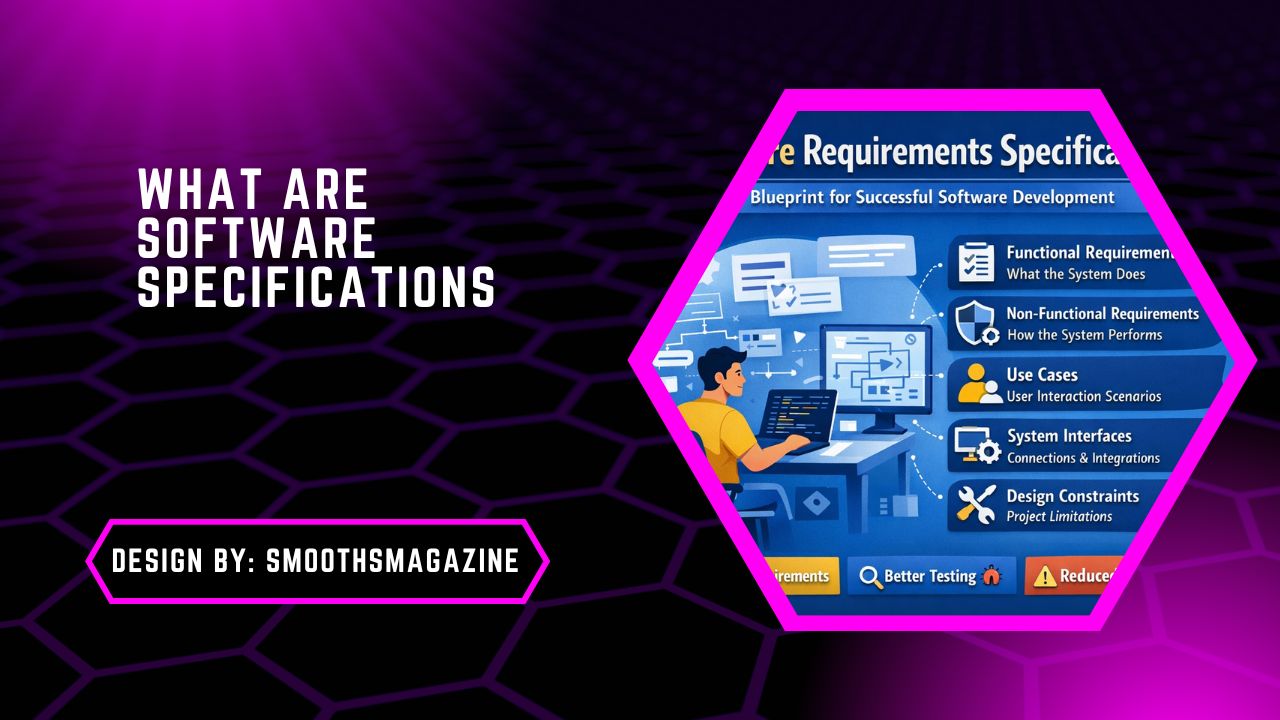
A Software Requirements Specification (SRS) is a comprehensive document that defines the functional and non-functional requirements of a software system.
It describes:
- The purpose of the software
- The features and functionality
- System requirements
- Performance expectations
- Design constraints
- User interactions and use cases
An SRS document ensures that everyone involved in the project clearly understands the requirements before the development process begins.
Simple Definition
A software requirements specification is a structured document that translates business requirements and stakeholder needs into technical requirements for developers. Because of this role, the SRS document acts as a bridge between business teams and software engineers.
Why Are Software Specifications Important?
Software projects often fail due to unclear requirements. A software specification prevents this problem by documenting every requirement in detail.
Here are the main reasons why software requirements specifications are essential.
1. Clear Communication
An SRS ensures that stakeholders, developers, testers, and project managers share the same understanding of the project goals.
2. Reduced Development Errors
When requirements are clearly defined, developers can build the system correctly the first time, reducing rework and software bugs.
3. Better Project Planning
A detailed software specification document helps teams estimate:
- development time
- project costs
- resource requirements
4. Easier Testing and Validation
Testing teams use the SRS document as a reference to verify whether the software meets its requirements.
5. Improved Software Quality
With clear specifications, the final software product is more likely to meet performance, reliability, and usability standards.
Key Components of a Software Requirements Specification
A complete software requirements specification includes several important sections. These components define how the software system should behave.
1. Functional Requirements
Functional requirements describe what the software system must do. They define the features, functions, and operations that users can perform.
Examples of Functional Requirements
- Users can create an account.
- Users can log in and log out.
- The system can process payments.
- Users can search for products.
These requirements describe specific system behaviors and interactions.
2. Non-Functional Requirements
Non-functional requirements describe how the system performs rather than what it does. They focus on quality attributes and performance standards.
Examples of Non-Functional Requirements
- System response time must be less than two seconds.
- The platform must support 10,000 users simultaneously.
- The system must maintain 99.9% uptime.
- All user data must be encrypted.
These requirements define security, reliability, scalability, and performance.
3. External Interface Requirements
External interfaces explain how the software interacts with users, hardware devices, or other software systems.
Types include:
- User interface (UI) requirements
- Hardware interfaces
- Software interfaces
- communication interfaces
These ensure the software works smoothly with external systems.
4. Use Cases and User Scenarios
A use case describes how a user interacts with the system to achieve a specific goal. Example use case:
The user wants to purchase a product online.
Steps:
- User logs into the website
- User searches for a product
- User adds the product to the cart
- User completes payment
Use cases help developers understand real-world system interactions.
5. Design Constraints
Design constraints limit how the system can be built.
Examples include:
- regulatory requirements
- hardware limitations
- programming language restrictions
- platform compatibility
These constraints influence the system architecture and development decisions.
Types of Software Specifications
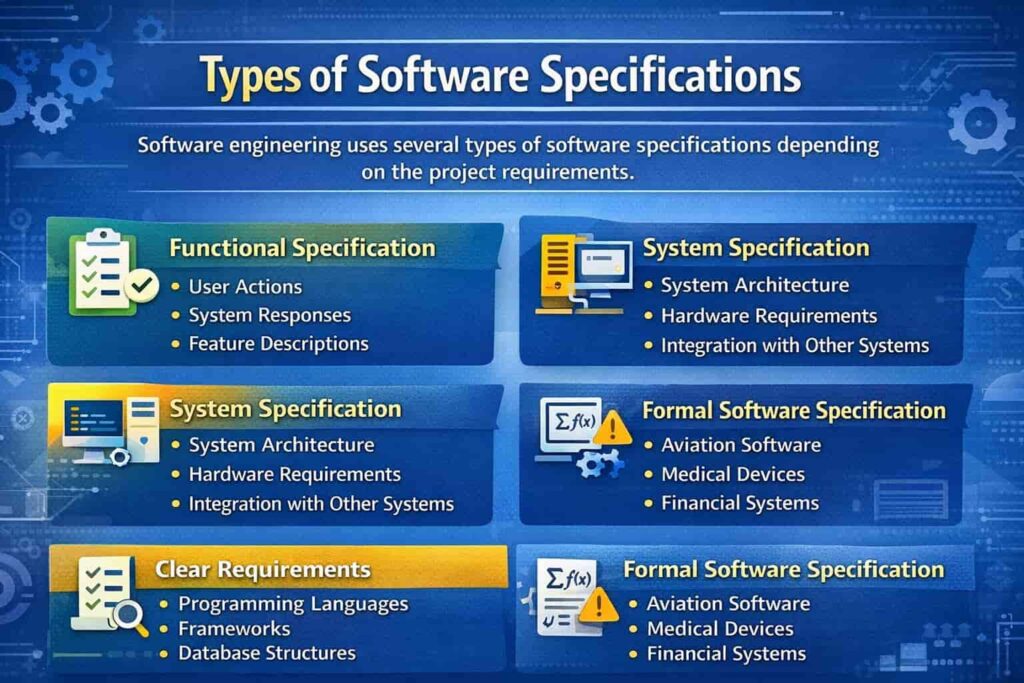
Software engineering uses several types of software specifications depending on the project requirements.
1. Functional Specification
A functional specification focuses on how the system should behave and what functions it should perform.
It includes:
- user actions
- system responses
- feature descriptions
2. System Specification
A system requirements specification describes the entire system, including hardware, software, and external components.
This specification defines:
- system architecture
- hardware requirements
- integration with other systems
3. Technical Specification
A technical specification focuses on implementation details for developers.
It may include:
- programming languages
- frameworks
- database structures
- APIs
4. Formal Software Specification
Formal specifications use mathematical models and formal methods to define system behavior. These are commonly used in critical systems such as:
- aviation software
- medical devices
- financial systems
Structure of an SRS Document
A standard software requirements specification document follows a structured format. The most common format includes the following sections.
1. Introduction
The introduction explains:
- the purpose of the software
- the scope of the project
- definitions and terminology
2. Overall Description
This section provides a general overview of the system, including:
- product perspective
- user characteristics
- system features
- constraints
3. Specific Requirements
This section lists the detailed functional and non-functional requirements of the software.
It includes:
- feature descriptions
- user interactions
- system behavior
4. System Interfaces
This part describes how the system interacts with:
- users
- hardware
- external software
5. Performance Requirements
Performance requirements define system expectations such as:
- response time
- scalability
- system capacity
Example of Software Requirements Specification
To understand how an SRS document works, consider a simple example.
Example: Online Food Delivery System
Functional Requirements
- Users can create accounts.
- Users can browse restaurants.
- Users can place orders.
- Users can track deliveries.
Non-Functional Requirements
- The platform must support 5,000 concurrent users.
- The system must process payments securely.
- The website must load within three seconds.
Design Constraints
- The platform must support both mobile and web applications.
- Payment processing must integrate with third-party APIs.
This example demonstrates how software requirements translate business needs into technical specifications.
How to Write a Software Requirements Specification?
Creating a strong SRS document requires a structured process. Here are the steps used by professional software teams.
Step 1: Gather Requirements
The first step is requirement gathering.
This involves discussions with:
- stakeholders
- product managers
- customers
- developers
The goal is to identify business needs and user expectations.
Step 2: Define the Scope
Next, clearly define the project scope. This prevents feature creep and ensures the development team focuses only on essential features.
Step 3: Organize Requirements
Group the requirements into categories:
- functional requirements
- non-functional requirements
- system interfaces
- constraints
This structure improves clarity and readability.
Step 4: Write Clear Requirement Statements
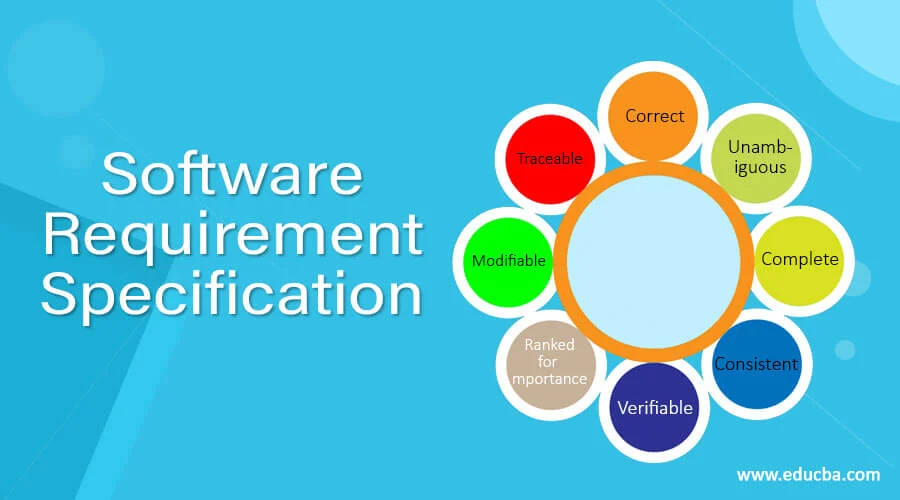
Each requirement should be:
- simple
- measurable
- testable
For example:
Bad requirement:
The system should be fast.
Good requirement:
The system should process transactions within two seconds.
Step 5: Review and Validate
After writing the software specification, stakeholders must review the document. This ensures that the SRS accurately represents business requirements.
Benefits of Software Requirements Specification
A well-written software requirements specification provides several advantages.
- Better Requirement Management: It helps manage and track changing requirements during the project lifecycle.
- Improved Collaboration: The SRS document ensures that developers, testers, and project managers work toward the same goals.
- Faster Development Process: Clear requirements reduce confusion and help developers build software faster.
- Easier Testing: Testers can create test cases directly from the SRS document.
- Reduced Project Risk: By defining requirements early, organizations avoid costly mistakes and delays.
Best Practices for Writing Software Specifications
To create a high-quality software specification document, follow these best practices.
- Use Clear Language: Avoid complex technical jargon whenever possible.
- Be Specific: Each requirement should be precise and measurable.
- Maintain Consistency: Use consistent terminology throughout the document.
- Include Diagrams: Flowcharts and system diagrams improve understanding.
- Update Regularly: Software projects evolve, so the SRS document should be updated when requirements change.
Common Mistakes in Software Requirements Specifications
Many teams struggle with poorly written software specifications.
Here are common mistakes to avoid.
- Ambiguous Requirements: Unclear requirements can lead to misunderstandings during development.
- Missing Non-Functional Requirements: Performance and security requirements are often ignored.
- Lack of Stakeholder Involvement: Without stakeholder input, the final product may not meet business needs.
- Overly Complex Documentation: Long and complicated documents reduce readability and usability.
Role of SRS in the Software Development Lifecycle
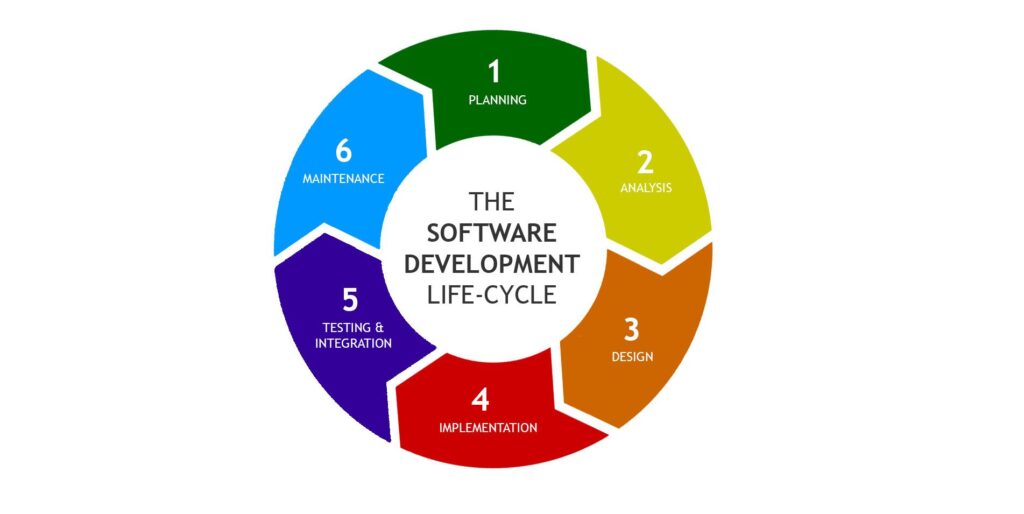
The software requirements specification plays an essential role throughout the software development lifecycle (SDLC).
- Requirement Analysis: The SRS defines the project requirements.
- System Design: Developers use the SRS to design the system architecture.
- Development: Programmers implement features based on the documented requirements.
- Testing: Testers verify whether the software meets the SRS requirements.
- Maintenance: The SRS serves as a reference when updating or improving the system.
Software Specification vs Software Design Document
These two documents are often confused.
- Software Specification: Focuses on what the system should do.
- Software Design Document: Focuses on how the system will be built.
Both documents are essential for successful software development.
Future of Software Requirements Documentation
Modern development methods such as Agile development have changed how teams write software specifications.
Instead of large documents, Agile teams use:
- user stories
- product backlogs
- iterative requirement updates
However, even in Agile environments, clear requirement documentation remains essential.
FAQs:
1. What is the purpose of a software requirements specification?
A software requirements specification defines the functionality, behavior, and constraints of a software system before development begins. It helps stakeholders and developers understand project goals clearly and ensures that the final product meets business and user requirements effectively.
2. What are the main components of an SRS document?
An SRS document typically includes functional requirements, non-functional requirements, system interfaces, use cases, and design constraints. These sections describe how the software should work, how it performs, and how users or other systems interact with it.
3. How does an SRS help in software testing?
An SRS document provides clear requirements that testers use to create test cases. By comparing the software’s behavior with documented requirements, testing teams can verify whether the system functions correctly and meets performance expectations.
4. What is the difference between functional and non-functional requirements?
Functional requirements describe what a software system does, such as user login or payment processing. Non-functional requirements describe how the system performs, including security, speed, scalability, reliability, and overall system performance standards.
5. Who is responsible for writing a software requirements specification?
A software requirements specification is usually created by business analysts, product managers, or system analysts with input from stakeholders, developers, and testers. Collaboration ensures the document accurately reflects both business needs and technical requirements.
Conclusion
Software specifications, especially the Software Requirements Specification (SRS), are essential for successful software development. They clearly define the system’s purpose, features, requirements, and constraints before coding begins. By documenting both functional and non-functional requirements, an SRS improves communication between stakeholders and development teams. It also supports better planning, testing, and project management. When written clearly and maintained properly, a software specification helps reduce errors, control project risks, and ensures that the final software product meets user expectations and business goals.