What Is Print Management Software – Complete Guide!
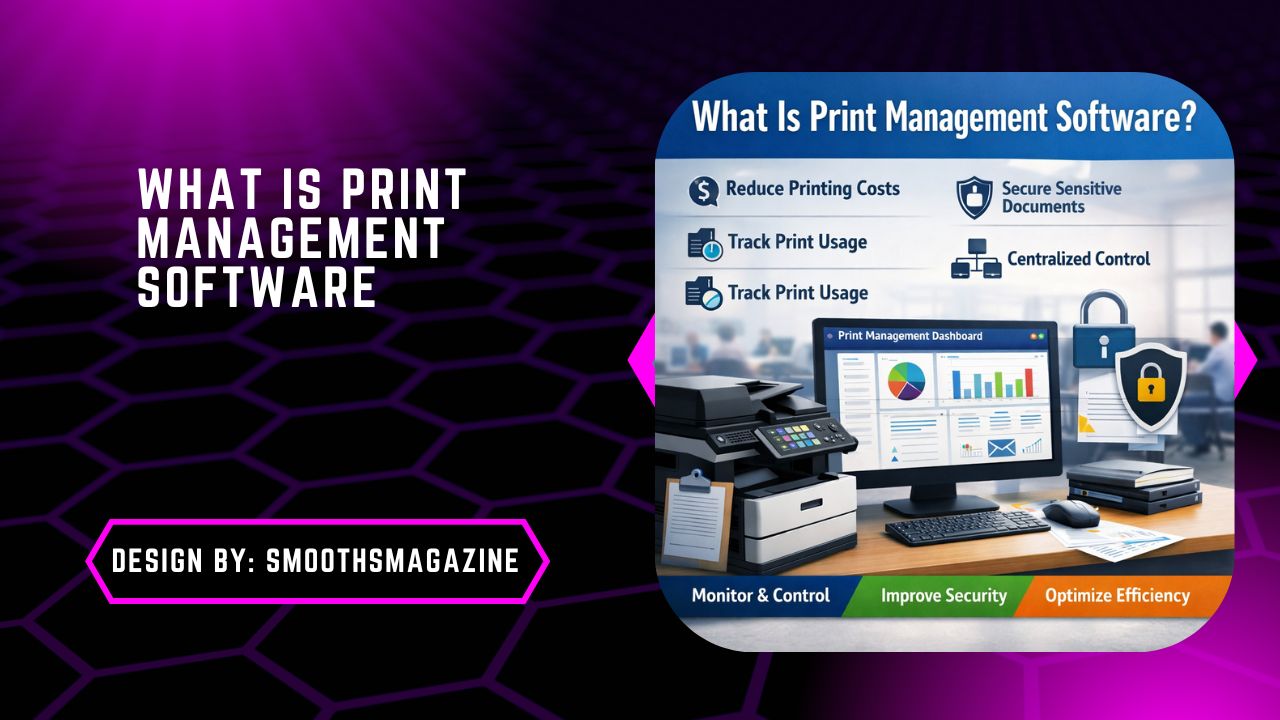
Print management software is a centralized solution that monitors, controls, and secures printing activities, helping organizations reduce costs, improve document security, and optimize overall printing efficiency.
Print management software has become an essential tool for organizations that want to control printing costs, improve document security, and optimize their print environment. As businesses grow, unmanaged printing often leads to wasted resources, security risks, and unnecessary expenses. This is where print management solutions play a critical role.
What Is Print Management Software?
Print management software is a centralized system designed to monitor, control, secure, and optimize an organization’s printing infrastructure. It manages printers, copiers, multifunction devices (MFDs), users, print jobs, and print policies from a single dashboard.
At its core, print management software helps businesses:
- Track who prints, what they print, and how much it costs
- Reduce paper and toner waste
- Secure sensitive documents
- Streamline printer administration
- Improve operational efficiency
Unlike basic printer drivers or operating system print queues, enterprise print management software provides advanced reporting, automation, and security features.
Why Print Management Software Is Important?
Printing may seem like a small operational detail, but unmanaged print environments can silently drain budgets and expose organizations to serious risks.
Common Print Problems Without Management
- Excessive and unnecessary printing
- High toner and paper costs
- Unsecured documents left at printers
- Lack of visibility into print usage
- IT teams overwhelmed by printer issues
Print management software addresses these challenges by bringing visibility, accountability, and control to printing operations.
How Print Management Software Works?
Print management software works by acting as a central control layer between users, devices, and print servers.
Basic Workflow:
- A user sends a print job
- The job is intercepted by the print management system
- Policies and rules are applied (duplex, color restrictions, quotas)
- The job is securely held or routed
- The user authenticates at the printer
- The job is released and recorded in reports
This process ensures secure printing, cost control, and accurate tracking.
Key Features of Print Management Software
1. Print Tracking and Reporting
One of the most powerful features of print management software is detailed print tracking.
It records:
- User activity
- Printer usage
- Color vs black-and-white printing
- Department-wise costs
- Environmental impact
These insights help organizations make data-driven decisions and identify areas for cost reduction.
2. Cost Control and Budget Management
Print management solutions allow businesses to:
- Set printing quotas
- Restrict color printing
- Enforce duplex (double-sided) printing
- Allocate costs to departments or projects
This directly reduces operational expenses and promotes responsible printing behavior.
3. Secure Printing and Document Protection
Security is a major concern in modern workplaces. Print management software enhances security through:
- Pull printing (follow-me printing)
- PIN, card, or badge authentication
- User authentication before job release
- Encrypted print jobs
This prevents sensitive documents from being left unattended on printers.
4. Centralized Print Management
With centralized print management, IT administrators can:
- Manage printers and drivers remotely
- Deploy print queues across locations
- Monitor device health
- Reduce helpdesk requests
This significantly lowers IT workload and improves uptime.
5. Workflow Automation
Advanced print management systems can:
- Route large jobs to high-capacity printers
- Redirect jobs if a printer is offline
- Automate print job approvals
- Integrate with document management systems
Automation improves productivity and ensures efficient printer usage.
6. Environmental Sustainability
Print management software supports sustainability goals by:
- Reducing paper waste
- Lowering carbon footprint
- Tracking environmental impact
- Encouraging eco-friendly printing habits
Many organizations use print data to support green IT initiatives.
Types of Print Management Software
1. On-Premise Print Management
Installed on local servers and managed internally. Best for organizations with strict data control requirements.
2. Cloud-Based Print Management
Managed via the cloud with minimal infrastructure. Ideal for remote teams and hybrid work environments.
3. Enterprise Print Management Software
Designed for large organizations with multiple locations and complex print environments.
Who Uses Print Management Software?
Print management software is widely used across industries, including:
- Corporate offices
- Educational institutions
- Healthcare organizations
- Legal firms
- Government agencies
- Manufacturing companies
Any organization with multiple printers can benefit from print management solutions.
Benefits of Print Management Software
- Reduced Printing Costs: Organizations typically reduce print costs by 20–40% after implementation.
- Improved Document Security: Authentication and secure release prevent data leaks.
- Increased Visibility: Clear insights into print behavior and costs.
- Simplified IT Management: Less troubleshooting and fewer printer-related issues.
- Better Compliance: Supports GDPR, HIPAA, and internal compliance requirements.
Print Management Software vs Managed Print Services (MPS)
While often confused, these are not the same.
| Print Management Software | Managed Print Services |
| Software-based solution | Service-based offering |
| Controls print behavior | Outsources print operations |
| Focus on tracking & security | Focus on hardware & supplies |
Many organizations use both together for maximum efficiency.
Popular Print Management Software Solutions
Some widely recognized print management platforms include:
- PaperCut
- Pharos
- YSoft SafeQ
- ThinPrint
- uniFLOW
- MyQ
Each solution offers unique features, but the core goal remains the same: control, secure, and optimize printing.
How to Choose the Right Print Management Software?
When selecting print management software, consider:
- Organization size
- Print volume
- Security requirements
- Cloud vs on-premise preference
- Integration with existing systems
- Reporting and analytics capabilities
Choosing the right solution ensures long-term scalability and ROI.
Print Management Software for Remote and Hybrid Work
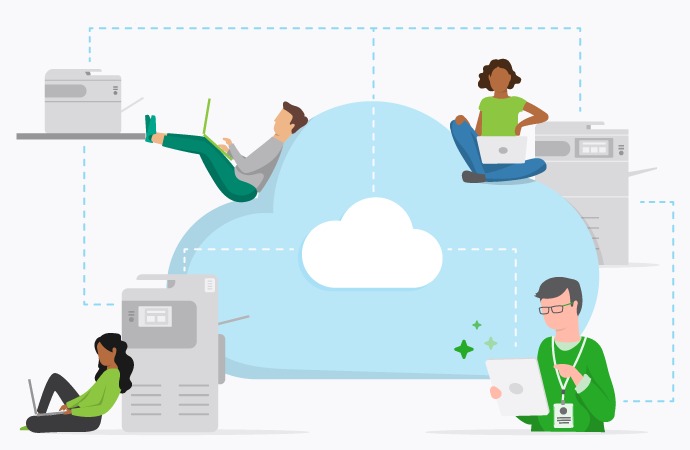
With remote work becoming standard, modern print management software supports:
- Cloud printing
- Secure printing from home offices
- Mobile and BYOD printing
- Zero-trust security models
This ensures consistent print policies across all locations.
Common Myths About Print Management Software
Myth 1: It’s Only for Large Enterprises
Reality: Small and medium businesses benefit just as much.
Myth 2: It’s Expensive
Reality: Cost savings usually outweigh implementation costs.
Myth 3: It Slows Down Printing
Reality: Modern solutions improve speed and efficiency.
The Future of Print Management Software
Print management software continues to evolve with:
- AI-driven analytics
- Predictive maintenance
- Deeper cloud integration
- Enhanced security frameworks
- Sustainability reporting
As businesses focus on efficiency and compliance, print management will remain a critical IT function.
FAQs:
1. How does print management software reduce printing costs?
Print management software tracks print usage, enforces quotas, restricts color printing, and promotes duplex printing. These controls reduce paper, toner waste, and unnecessary printing, leading to significant cost savings.
2. Is print management software secure for sensitive documents?
Yes, it enhances security using pull printing, user authentication, and encrypted print jobs. Documents are released only after user verification, preventing unauthorized access and unattended printouts.
3. Can small businesses use print management software?
Absolutely. Print management software is scalable and benefits small businesses by reducing costs, improving visibility, simplifying printer management, and preventing resource waste without complex infrastructure.
4. What is the difference between cloud-based and on-premise print management?
Cloud-based solutions are hosted online and ideal for remote teams, while on-premise print management runs on local servers, offering greater control for organizations with strict data security requirements.
5. Does print management software support remote and hybrid work?
Yes, modern print management software enables secure cloud printing, mobile printing, and BYOD support, ensuring consistent print policies and document security across remote, hybrid, and office environments.
Conclusion
Print management software plays a vital role in helping organizations control costs, secure sensitive documents, and streamline printing operations. By offering centralized management, advanced reporting, and automation, it transforms unmanaged print environments into efficient, secure systems. Whether deployed on-premise or in the cloud, print management solutions support sustainability, compliance, and modern work models. As businesses continue to evolve, print management software remains a smart investment for long-term operational efficiency.

2 Comments